


Word Search Go: Word Puzzle
4.8121.00 Reviews
App Specs
- Version
- 3.0.110
- Updated On
- License
- Free
- Downloads
- 100,000+
- Developer
- Gamonix Studios
- Categories
- Word
- Platform
- Android
Screenshots
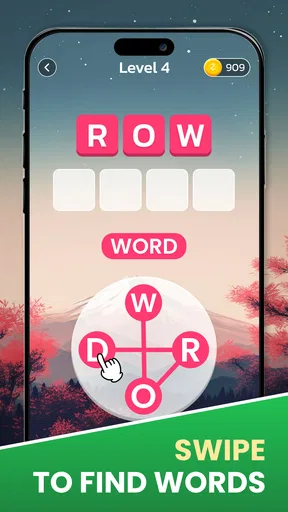
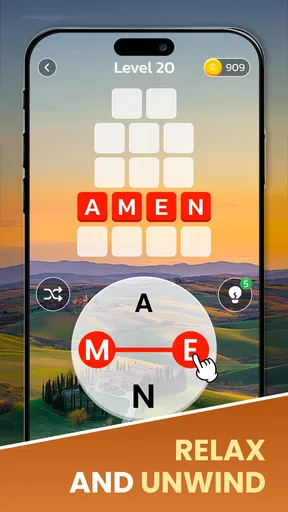
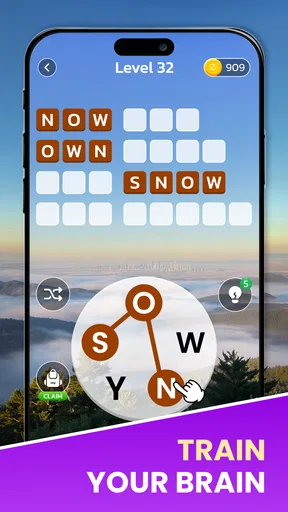
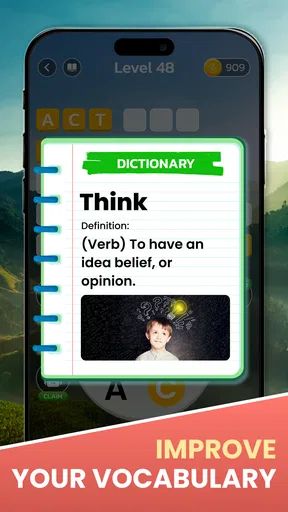


 Analysis by AppCompare
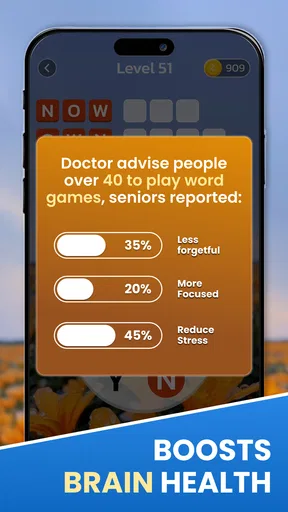
I like word-search games when I want something focused but not demanding enough to take over my day. Zen Word Search - Word Puzzle is built around that familiar pleasure: scanning a letter grid, spotting a word, and enjoying the small satisfaction of completing a puzzle. My main impression is that it aims for a gentler pace than a timed, score-chasing word challenge, making it an appealing choice for a short break. That relaxed approach has limits, though: anyone looking for deep strategy or a strong competitive ladder may want a different kind of word game.
What the purchase details tell you
This is a free word game from Gamonix Studios, with optional in-app purchases priced from $0.99 to $24.99 per item. That makes it possible to try the basic experience without paying upfront, while leaving room for optional spending. I would treat the purchase range as a reason to check each item carefully before confirming a transaction, rather than assuming that every player needs to buy anything. Its age rating is Everyone, and it has a 4.8 average from around 2,200 ratings, alongside over 100,000 installs. Those figures suggest broad interest, but they don’t tell me whether the particular pace or puzzle style will suit you.
The game was released on September 20, 2023, and its current version is 3.0.102. It requires Android 7.0 or later. The listing is for a game, so I’d approach it as entertainment first: a pleasant way to occupy a few spare minutes, not a substitute for a structured vocabulary course. I also wouldn’t read a high rating as proof that every part of the experience is equally strong. The useful question is whether you enjoy searching grids and whether the optional purchase model feels comfortable for your own habits.
Getting Started with Zen Vibes
First off, let me just say that downloading Zen Word Search - Word Puzzle was a breeze. Whether you’re on Android or iOS, you’ll find it in the app store ready to go. Once you open it up, you’re greeted with a super calming interface. Picture soft hues and smooth transitions that instantly put you in a relaxed mood. It’s like the app is saying, "Hey, let’s chill while we challenge your brain."
Gameplay That Keeps You Hooked
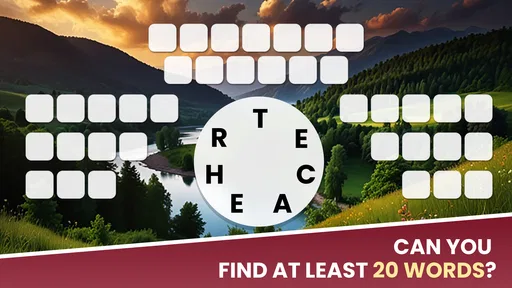
The gameplay? Simple yet oh-so-addictive. You’re presented with a grid of letters, and your task is to find hidden words. Sounds easy, right? But trust me, as you progress, the game gets trickier, and that’s when it really pulls you in. I found myself saying, "Just one more puzzle," until I realized I’d been at it for an hour!
That gradual rise in difficulty makes a difference to how I use it. I’m more likely to open a word search when I have a short window than when I want a long, uninterrupted session. If I’m waiting for a takeaway or sitting in a quiet waiting room, I can give one puzzle my attention and stop when I need to. A useful personal rule is to decide on a stopping point before starting—one puzzle, or a few minutes—because the easy “one more” rhythm can make a quick break run longer than planned.
There’s also a practical way to make the search less random: scan the grid in a consistent pattern instead of sweeping your eyes across it without a plan. I start with the first letter of a word I’m seeking, then check nearby lines and directions before moving on. That keeps me from repeatedly searching the same patch and makes the puzzle feel more like a calm visual task than a test of patience. It’s a small habit, but especially helpful when a grid looks busy.
Worth Reading Before You Choose

EA SPORTS FC Mobile 26 Is a Bigger Football Game, but It Takes Time

Flipboard Shows What News Apps Must Do Beyond the Feed

Switching to Android Auto Means Rethinking Your Driving Routine

Google Calendar Makes a Crowded Week Easier to Manage

Ludo King Makes the Most of the Minutes Between Plans

Baby Panda World Brings Quick Play to Modern Phones, but Its Game Library Feels Busy
One thing I love is the variety of categories. Whether you’re into animals, food, or geography, there’s something for everyone. This keeps things fresh and makes sure you never get bored hunting for words.
Categories can also shape how much I get out of a session. Familiar subjects let me focus on the pattern-finding itself, while a less familiar topic can slow me down and make each answer feel more like a small discovery. I wouldn’t use that as a reliable way to study a subject, but it does give the same basic mechanic a different texture. If you’re playing with a younger family member, choosing a familiar theme can make it easier to share the puzzle without turning it into a lesson or a competition.
Progress without turning it into pressure
For me, the best way to approach a word-search game is to let completion be satisfying without making it a daily obligation. Daily challenges can be a nice prompt when I want a ready-made reason to open the app, but missing a day shouldn’t feel like losing progress in a serious training plan. If you enjoy routines, you can attach a puzzle to an existing quiet moment, such as a coffee break. If reminders or streaks make leisure feel like homework, keep the game as an occasional option instead.
The same distinction matters when the puzzles become harder. A tougher grid can be enjoyable when I have enough attention to spare, but it is less suited to a moment when I’m distracted or trying to do two things at once. I’d switch to an easier-feeling activity rather than keep tapping at a word while my mind is elsewhere. That’s not a fault unique to this game; it’s simply the point at which a relaxing puzzle stops being relaxing.
Difficulty also affects whether I use a hint. I try a deliberate scan first, then use help only if I’m genuinely stuck or ready to move on. That keeps the hint from becoming my first move and preserves the satisfaction of finding most words myself. The trade-off is straightforward: relying on help can reduce frustration, while avoiding it can make a puzzle take longer. Neither approach is automatically better; it depends on whether I’m playing to unwind or to give my attention a workout.
Features That Stand Out
What really sets this app apart are the neat features. For starters, there’s a hint system that’s perfect for when you’re stuck on a particularly tricky word. But don’t worry about overusing it; the app encourages you to rely on your own noggin first before lending a helping hand.
Another feature I’m a fan of is the daily challenges. These keep you coming back every day to test your skills against fresh puzzles. It’s a great way to ensure you’re getting a daily dose of brain exercise.
Competitive fairness and social play
The social element can make a familiar puzzle more fun when you have a friend who enjoys word games too. I’d treat a score challenge as a light invitation, not a meaningful measure of who is better at language: speed, attention, familiarity with a category, and the time available can all affect the result. It works best when both players are comparing similar play sessions and neither feels pushed to keep up.
If you prefer playing privately, you can still enjoy the central activity without making competition the point. The social option is a bonus, not the reason I’d recommend the game. I also wouldn’t assume that a friend challenge means there is a broad ranked mode or a balanced tournament system; the useful takeaway is simply that the game offers a way to bring friends into the experience.
On fairness around spending, the clear distinction is that the game is free to start and offers paid items within the stated price range. I can’t responsibly claim that purchases affect scores, provide competitive advantages, or are required to finish puzzles, because those details aren’t established here. My practical advice is to enjoy the free entry point first and decide whether any purchase is worth it only after you understand what that specific item offers. That avoids treating an optional price tag as a necessary part of the game.
How it compares with other word games
Compared with a crossword, this is a more visual activity: you look for words already represented in a letter grid rather than solving clues and filling answers into intersecting spaces. Compared with a timed word-finding game, the appeal here is the calmer search rather than the pressure to form as many words as possible before a clock runs out. If you want to practise spelling through clues, expand vocabulary systematically, or compete against a timer, those alternatives may be a better fit.
Its category choices and hints give the search enough variety to suit casual play, but the underlying action remains familiar. That can be a strength if you want a simple routine you can pick up quickly; it may be a weakness if you need a major change of mechanics to stay interested. I’d choose it for low-friction puzzle time, and choose a crossword or a more strategic word game when I want to wrestle with clues, plan several moves ahead, or pursue a more substantial challenge.
Who it suits—and when I’d skip it
I’d recommend trying it if you like scanning for patterns, prefer a relaxed pace, and want an activity that can fit into an ordinary pause in the day. A realistic use case is opening a puzzle while waiting for a friend who is running late: you can give the grid your attention, pause when the conversation starts, and return to another short session later. It also suits people who enjoy a gentle daily routine, provided that the challenge stays enjoyable rather than feeling like a task to maintain.
I’d skip it if you strongly prefer word games built around clue-solving, elaborate strategy, or head-to-head competition with clearly defined rules. It may also be a poor match if you find open-ended puzzle sessions hard to stop, or if any in-app purchase prompts make a free game feel uncomfortable. In that case, a puzzle with a fixed session length or a format you already know you can put down may be a better choice. The calm presentation won’t change the fact that finding words can still take concentration, particularly when you’re tired.
If you’re wondering whether you need to pay to try it, the game is free to download, while in-app purchases are available. If you’re deciding whether it can replace a more serious vocabulary tool, I wouldn’t expect that: searching for listed words is a different activity from learning definitions or practising language in a structured sequence. And if you’re asking whether it works for a quick break, that is where its straightforward grid-based play makes the most sense—just set your own limit if you tend to lose track of time.
Why You’ll Love It
If you’re a fan of word games, Zen Word Search - Word Puzzle is a must-try. It’s perfect for those idle moments when you need a quick mental workout. Plus, the zen-like experience makes it stand out from other word search games. Whether you’re waiting for the bus or just chilling at home, this app is a fantastic companion.
And let’s not forget about the social aspect. You can connect with friends and challenge them to beat your scores. It adds a fun competitive edge that keeps the game lively.
What I’d want to know before settling in
A few reasonable questions remain when choosing any game with optional purchases. The confirmed purchase range tells me that paid items exist, but it doesn’t tell me what each one contains or whether it changes the core puzzle experience. I’d inspect the purchase description in the app before spending, and I’d avoid buying simply because a puzzle feels difficult in the moment. A hint is already part of the described play, so I’d first decide whether I want help with that specific puzzle or would rather leave it and return later.
Likewise, I wouldn’t make assumptions about how the game handles social scores, challenge availability, or progress between sessions. Those details matter to some players, but they should be judged by what the app actually presents when you use it. The dependable expectation is narrower: this is a word-search game with categories, hints, daily challenges, and a friend-oriented competitive element. If those are the things you want, that is enough to decide whether to give it a try without expecting it to behave like a full online league or a formal learning product.
Final Thoughts
Overall, I’d say Zen Word Search - Word Puzzle is a solid addition to your app collection. It’s got the right mix of challenge and relaxation, making it a go-to for any puzzle lover. So go ahead, download it, and dive into the world of zen-filled word puzzles. Your brain will thank you!
My trust verdict is positive but measured: the free starting point lowers the commitment, and the stated paid-item range is a reason to make deliberate choices rather than a reason to assume the game is unfair. I like it most as a casual, self-paced word search, not as a deep competitive game or a promise of measurable learning. If that distinction matches what you’re looking for, I think it’s worth trying; if you need tougher strategy or a clearly structured vocabulary routine, I’d pick another format.
Pros
- Engaging word puzzles for all ages.
- Simple and intuitive user interface.
- Variety of difficulty levels available.
- No intrusive ads during gameplay.
- Offline mode for uninterrupted play.
Cons
- Limited themes available in free version.
- Occasional lag on older devices.
- In-app purchases can be expensive.
- No multiplayer or social features.
- Hints are limited without purchase.
FAQs for Word Search Go: Word Puzzle
What is Zen Word Search - Word Puzzle about?
Zen Word Search - Word Puzzle is a relaxing and engaging mobile game that combines the classic word search experience with a calming aesthetic. The game features a variety of themed puzzles designed to challenge your vocabulary and problem-solving skills while providing a peaceful atmosphere with soothing visuals and music.
Is Zen Word Search - Word Puzzle available offline?
Yes, Zen Word Search - Word Puzzle can be enjoyed offline once it is downloaded to your device. This makes it perfect for playing on the go, whether you’re commuting, traveling, or simply without internet access. Enjoy uninterrupted gameplay anytime and anywhere.
Are there in-app purchases in Zen Word Search - Word Puzzle?
Zen Word Search - Word Puzzle offers optional in-app purchases. These purchases can enhance your gameplay experience by providing additional puzzle packs, hints, or aesthetic upgrades. However, the core game is entirely free to play, and purchases are not necessary to enjoy the full experience.
How does Zen Word Search - Word Puzzle support different difficulty levels?
The game offers multiple difficulty levels to cater to various player skills. From beginner-friendly puzzles to more challenging ones for seasoned players, you can choose the difficulty that best suits your mood or skill level. This flexibility makes it appealing to a wide range of users.
Can I play Zen Word Search - Word Puzzle on both Android and iOS devices?
Yes, Zen Word Search - Word Puzzle is available for both Android and iOS platforms. You can download it from the Google Play Store or the Apple App Store, ensuring compatibility with a wide array of smartphones and tablets, allowing you to enjoy the game on your preferred device.


